Modify Statistics
PostgreSQL and other database systems decide how to execute a query using statistics metadata about the tables and columns involved. Feeding the planner real statistics (e.g. from Production) or realistically faked ones (e.g. an expected future record count) lets Query Doctor give meaningful insights without loading large volumes of data.
Importing Statistics
Section titled “Importing Statistics”Automatic
Section titled “Automatic”When configuring the connection string to sync from as external database, you are presented with options for where the source of statistics will be. Select the From connection option and the statistics will be gathered at the same time as the schema is pulled.
Coming soon: specify different sources for schemas and queries versus statistics.
Manual
Section titled “Manual”Manually importing statistics from a source database involves the creation of a JSON file containing the metadata from the database. This is generated via a helper function that you create in the database.
Steps:
Section titled “Steps:”-
Create the helper function
Section titled “Create the helper function”Connect to the desired database in the PostgreSQL instance (e.g. using the the
psqlutility) and running the command below.This action requires the connected user to have the
CREATEprivilege on the schema.The
include_sensitive_infoargument determines whether or not metadata columns that could contain sensitive information, such as the most common values for a column, are collected or not.trueis the only option fully supported at this time.CREATE OR REPLACE FUNCTION _qd_dump_stats(include_sensitive_info boolean) RETURNS jsonb AS $$WITH table_columns AS (SELECTc.table_name,c.table_schema,cl.reltuples,cl.relpages,cl.relallvisible,-- cl.relallfrozen,n.nspname AS schema_name,json_agg(json_build_object('columnName', c.column_name,'dataType', c.data_type,'isNullable', (c.is_nullable = 'YES')::boolean,'characterMaximumLength', c.character_maximum_length,'numericPrecision', c.numeric_precision,'numericScale', c.numeric_scale,'columnDefault', c.column_default,'stats', (SELECT json_build_object('starelid', s.starelid,'staattnum', s.staattnum,'stanullfrac', s.stanullfrac,'stawidth', s.stawidth,'stadistinct', s.stadistinct,'stakind1', s.stakind1, 'staop1', s.staop1, 'stacoll1', s.stacoll1, 'stanumbers1', s.stanumbers1,'stakind2', s.stakind2, 'staop2', s.staop2, 'stacoll2', s.stacoll2, 'stanumbers2', s.stanumbers2,'stakind3', s.stakind3, 'staop3', s.staop3, 'stacoll3', s.stacoll3, 'stanumbers3', s.stanumbers3,'stakind4', s.stakind4, 'staop4', s.staop4, 'stacoll4', s.stacoll4, 'stanumbers4', s.stanumbers4,'stakind5', s.stakind5, 'staop5', s.staop5, 'stacoll5', s.stacoll5, 'stanumbers5', s.stanumbers5,'stavalues1', CASE WHEN $1 THEN s.stavalues1 ELSE NULL END,'stavalues2', CASE WHEN $1 THEN s.stavalues2 ELSE NULL END,'stavalues3', CASE WHEN $1 THEN s.stavalues3 ELSE NULL END,'stavalues4', CASE WHEN $1 THEN s.stavalues4 ELSE NULL END,'stavalues5', CASE WHEN $1 THEN s.stavalues5 ELSE NULL END)FROM pg_statistic sWHERE s.starelid = a.attrelid AND s.staattnum = a.attnum))ORDER BY c.ordinal_position) AS columnsFROM information_schema.columns cJOIN pg_attribute aON a.attrelid = (quote_ident(c.table_schema) || '.' || quote_ident(c.table_name))::regclassAND a.attname = c.column_nameJOIN pg_class clON cl.oid = a.attrelidJOIN pg_namespace nON n.oid = cl.relnamespaceWHERE c.table_name NOT LIKE 'pg_%'AND n.nspname <> 'information_schema'AND c.table_name NOT IN ('pg_stat_statements', 'pg_stat_statements_info')GROUP BY c.table_name, c.table_schema, cl.reltuples, cl.relpages, cl.relallvisible, n.nspname),table_indexes AS (SELECTt.relname AS table_name,json_agg(json_build_object('indexName', i.relname,'reltuples', i.reltuples,'relpages', i.relpages,'relallvisible', i.relallvisible-- 'relallfrozen', i.relallfrozen)) AS indexesFROM pg_class tJOIN pg_index ix ON ix.indrelid = t.oidJOIN pg_class i ON i.oid = ix.indexrelidJOIN pg_namespace n ON n.oid = t.relnamespaceWHERE t.relname NOT LIKE 'pg_%'AND n.nspname <> 'information_schema'GROUP BY t.relname)SELECT json_agg(json_build_object('tableName', tc.table_name,'schemaName', tc.table_schema,'reltuples', tc.reltuples,'relpages', tc.relpages,'relallvisible', tc.relallvisible,-- 'relallfrozen', tc.relallfrozen,'columns', tc.columns,'indexes', COALESCE(ti.indexes, '[]'::json)))FROM table_columns tcLEFT JOIN table_indexes tiON ti.table_name = tc.table_name;$$ LANGUAGE sql STABLE SECURITY DEFINER; -
Execute the function and save the resulting JSON output to a file.
Section titled “Execute the function and save the resulting JSON output to a file.”An example for how to do this is by running the command below in a terminal that has access to the
psqlutility as well as the source system. Substitute the appropriate parameters for<yourdb>, connection options to the instance, and output file. By default the resulting file will be namedstats.jsonand it will be created in the current working directory.psql -d <yourdb> -At -F "" -c "select \_qd_dump_stats(true)" > stats.json -
Upload the metadata
Section titled “Upload the metadata”After syncing (the same) source system, navigate to the Setup / Statistics page. Click on the
Import Statisticsbutton: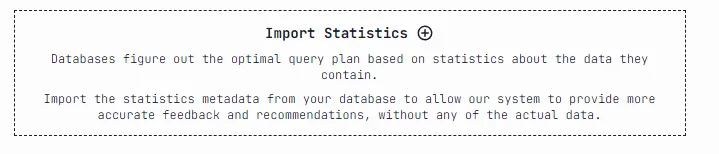
In the file selector modal, nagivate to and select the file generated in the previous step. Once added, navigate back to Live Queries to see the updated planner behavior.
Viewing Statistics
Section titled “Viewing Statistics”Coming (back) soon!
Modifying Statistics
Section titled “Modifying Statistics”Coming soon!
Troubleshooting
Section titled “Troubleshooting”A few common issues are noted below. If you need any further assistance please reach out on Discord.
Failure to create or execute the function
Section titled “Failure to create or execute the function”Confirm that the connected user has the appropriate permissions to do the tasks.
Function does not exist
Section titled “Function does not exist”If you receive the following error:
ERROR: function _qd_dump_stats() does not existConfirm the following:
- The name of the database that the function was created in.
- That the function was created successfully.
- The name of the database that you are connecting to when executing the function.
It should be the same database in both places.